JobNotes


How to add a recruiter contact to an application
Each application has its own contacts, so you always know who to write to. Only the name is required.
-
Step 1
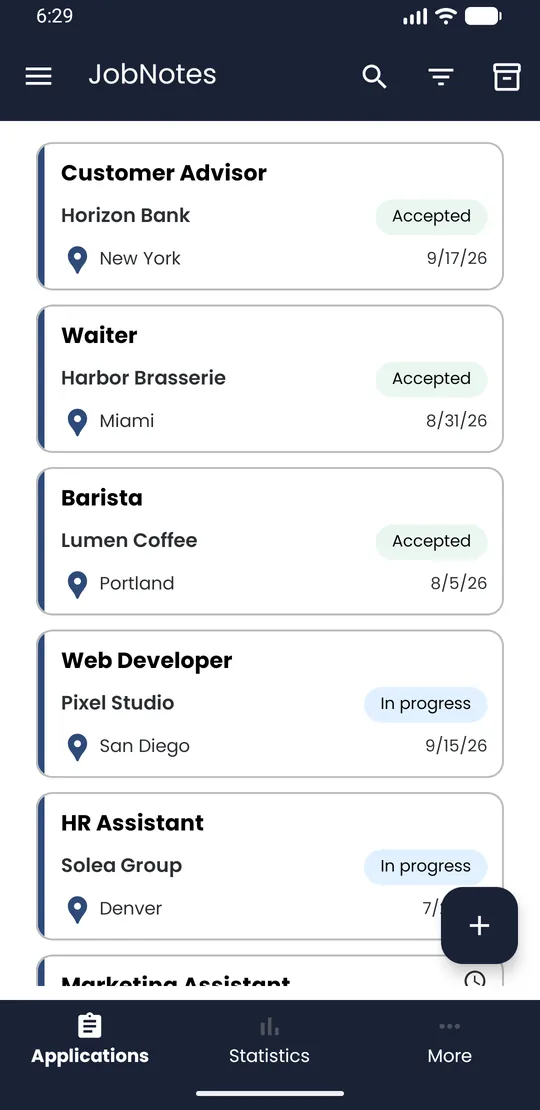
Open the application
In the Applications list, tap the application card.
-
Step 2
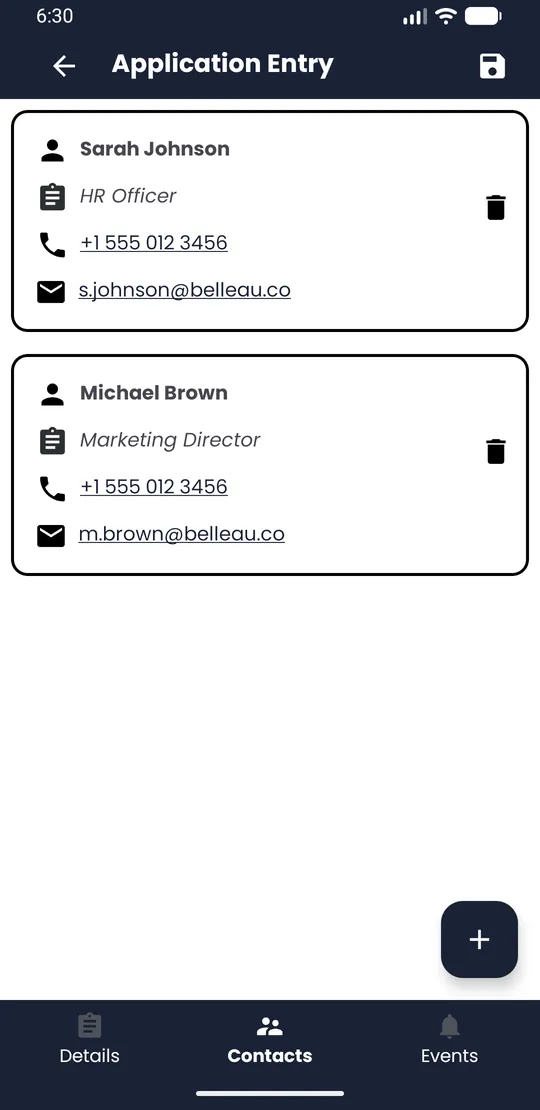
Go to Contacts
In the bar at the bottom of the application screen, tap Contacts.
-
Step 3
Add the contact
Tap + at the bottom right. In Add contact, enter the Name and, if you have them, the Role, Email and Phone number. Tap Confirm.
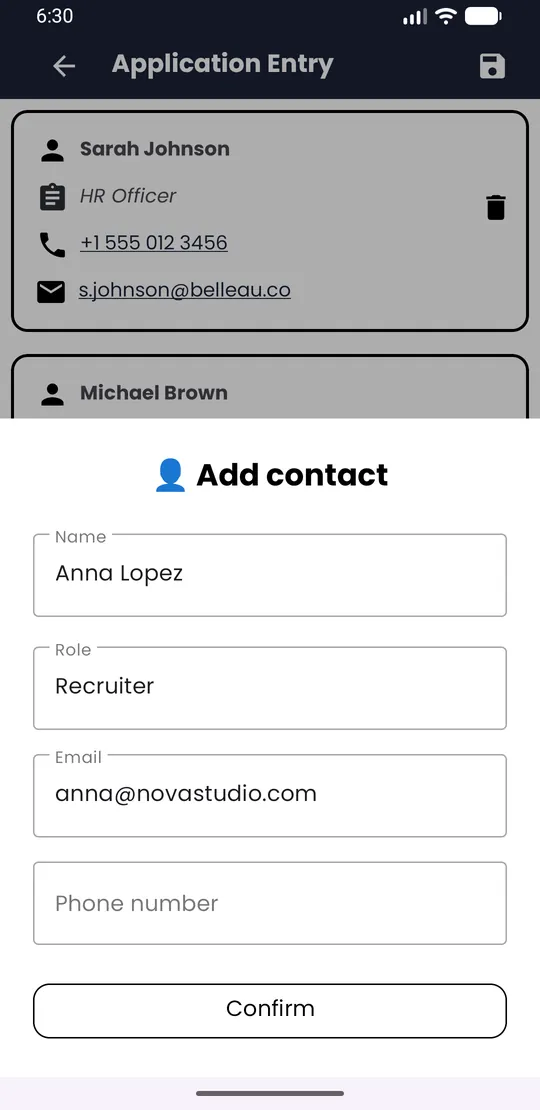
💡 Tip · To edit a contact, tap its card. To remove it, tap the bin icon.